What is node-based visual coding?
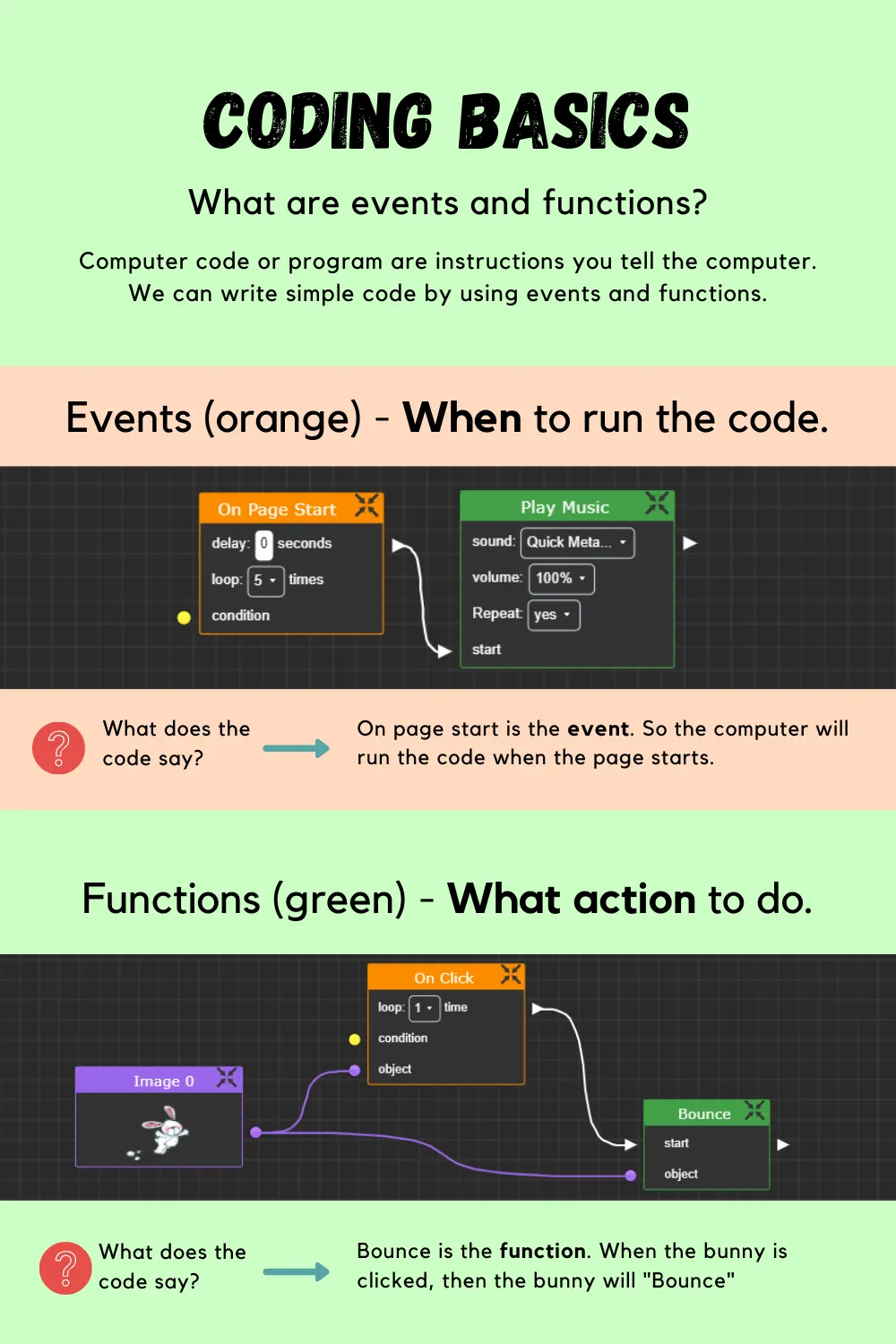
Instead of typing syntax, K–12 students connect nodes — blocks that each do one thing — into a graph that is the program. All the logic, none of the typos.
Each node is one action. Connecting them is the program. That's the whole idea.
Two sides of every slide
Elementari projects work like a deck of slides with a secret: every slide has a front for designing and a back for coding.

Students write their story and lay out each page — drag in text, illustrations, and sound from thousands of built-in assets.

Flip the slide and connect nodes — events like on click trigger animations, sounds, and page jumps that bring the story to life.
Real computational thinking, no syntax
“We are absolutely head over heels about Elementari coding! All learners were able to dive right in and get creative with code!”
The same idea powers professional tools
Node-based coding isn’t a training-wheels version of programming — it’s how professionals build games, films, art, and architecture. Students are learning a real paradigm.
Block coding vs. node coding
If your students have used Scratch, they’ve done block coding — stacking commands into a vertical script. Node coding is the next step in the same family.
On page start, the recorded voice plays and the speech bubble’s text effect runs — at the same time. When the voice finishes, the next recorded voice and its text effect start — in sequence.
In block coding this is genuinely hard: you’d fake the timing with wait blocks, hand-counting how many seconds each recording runs. In a graph you just wire the voice’s “finished” to the next action — parallel where you want it, sequenced where you need it.
Why teachers pick Elementari
“The illustrations and coded animations got the kids’ attention immediately. Despite having no prior coding experience, I found the interface easy to use — Elementari is an amazing way to introduce coding to those who may feel intimidated by it!”
Try a real project
Animate Your Name — play it, then flip on inspect mode to watch the nodes light up as they run.
Common questions
Is visual coding real coding?
Yes. Visual coding uses the same concepts as text-based programming — events, sequences, conditions, loops, and state — expressed as connected nodes instead of typed syntax. Professional tools like Unreal Engine’s Blueprints ship real games built entirely with node graphs.
What ages is visual coding for?
Elementari is used across K–12. Early readers start with simple click-and-play events on their story pages; older students build branching narratives, games, and simulations with variables and logic. Lessons adjust support and challenge by student level.
Does visual coding lead to text-based coding?
It’s a strong on-ramp. Students who can decompose a problem into events and actions carry that thinking directly into Python or JavaScript — the syntax is the only new part. Node graphs also normalize reading program flow, which is most of what professional developers do.
How is this different from Scratch?
Scratch is block coding: commands stack into scripts. Elementari is node coding: actions connect into graphs — and the coding is in service of a story or game the student is writing, which pulls in kids who don’t think of themselves as coders.
See it in your classroom
Generate a lesson — or pick one from the Lesson Bank — and your students are coding their own story this week. No experience needed, theirs or yours.